Prepare the source
Choose an image with a visible subject and enough contrast to distinguish the foreground from its surroundings. A clean source gives the model a more useful starting point.
Image workflow
Birefnet online gives you a focused way to approach foreground extraction from an image. Start with a clear subject, inspect the boundary, and hand the task to the connected workspace when you are ready.
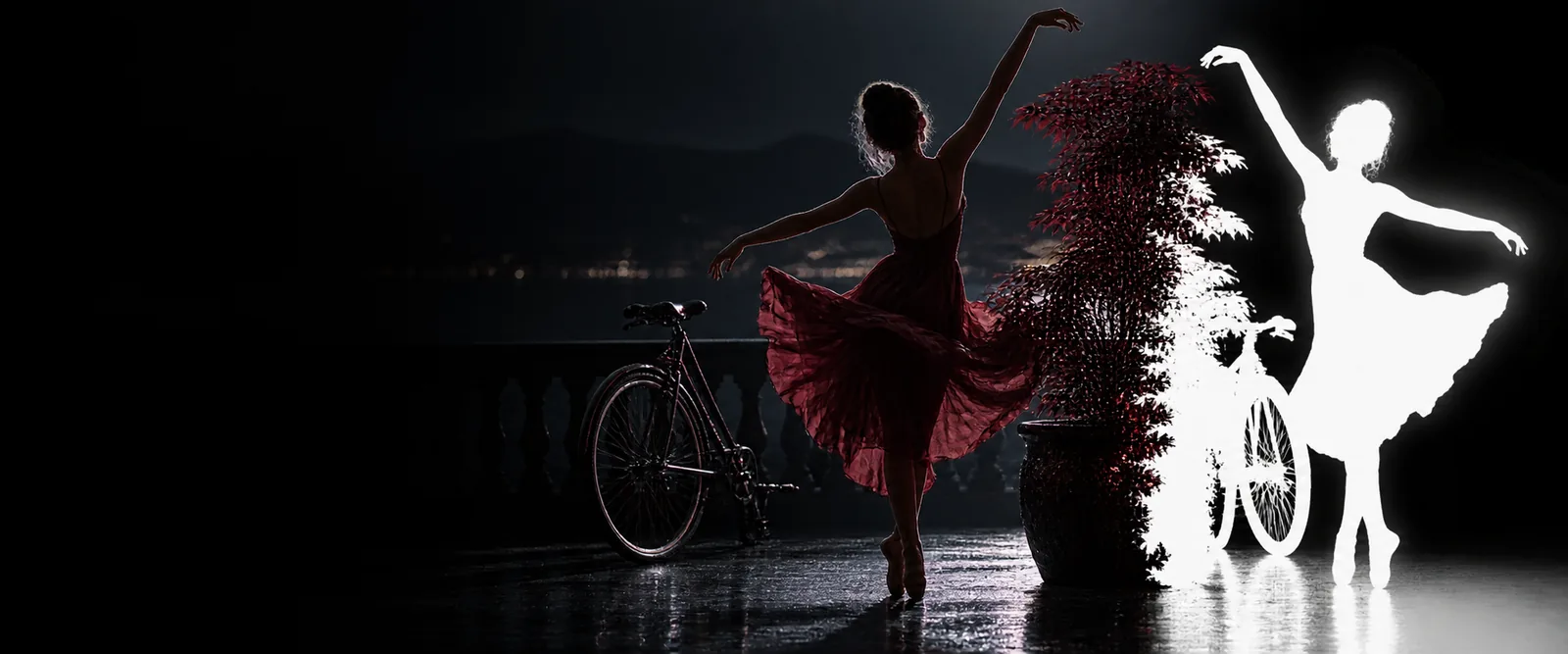
The route is easiest to use as a short sequence: define the image task, let the model separate the foreground, then inspect the result before taking it into a larger project.
Choose an image with a visible subject and enough contrast to distinguish the foreground from its surroundings. A clean source gives the model a more useful starting point.
State what should remain visible and what should be removed. Mention important details such as hair, thin objects, product edges, or a background that should disappear.
Review the generated cutout for missed areas, halos, and unwanted fragments. Keep the result for the next stage of your workflow only after it meets the visual requirement.
A background-removal workflow is judged at the edges, not only in the center of the subject. Compare the source context with the isolated result and look closely at fine contours.


Inspect edges before publishing or compositing.
The online route and a manual editor solve the same broad problem in different ways. This comparison keeps the tradeoff visible so you can choose the right starting point for the image in front of you.
Birefnet online
A model-assisted foreground extraction workflow
Manual cutout
A person selects, masks, and refines the subject by hand
Birefnet online
Describe the image result you want and submit the source
Manual cutout
Open selection, path, brush, or masking tools
Birefnet online
Inspect the generated boundary and identify areas needing attention
Manual cutout
Refine the boundary continuously while making the selection
Birefnet online
A quick first pass, repeated isolation tasks, and visual exploration
Manual cutout
Highly controlled retouching where every contour must be placed manually
Birefnet online
Less repetitive selection work at the beginning
Manual cutout
More direct hands-on work from the first edit
Birefnet online
You still review the output before using it in a deliverable
Manual cutout
You control the mask directly but remain responsible for inspection
Birefnet is a useful starting surface, not a substitute for visual judgment. These boundaries help you decide when to accept the first result and when to refine the source or continue in another editor.
Hair, transparent objects, thin wires, foliage, and soft fabric can create ambiguous boundaries that deserve close inspection.
WorkaroundZoom into the silhouette and refine or retouch any missed pixels before compositing.
Low contrast, heavy compression, motion blur, and an indistinct subject-background relationship make separation harder to evaluate.
WorkaroundUse the clearest available source and, when possible, improve lighting or contrast before extraction.
Removing a background does not automatically solve color matching, shadows, perspective, reflections, or the design of the final scene.
WorkaroundTreat the cutout as one production step, then complete layout and finishing in your normal image workflow.
A generated result can look convincing at a glance while still containing small remnants, halos, or missing subject details.
WorkaroundInspect the perimeter against both a light and dark background before delivery.
Use the connected workspace to put a concrete cutout task in motion. A specific subject and a clear desired outcome make the first pass easier to assess.
These answers address the practical questions people commonly have when looking for an online Birefnet workflow.
Birefnet online refers to using the Birefnet image-segmentation workflow through an online surface rather than setting up the model locally. The purpose is to separate a foreground subject from its background and then review the result.
Begin with a source image and describe the intended cutout clearly, including details that should remain visible. After processing, inspect the edges and decide whether the result is ready for your next editing or compositing step.
Images with a distinct subject, reasonable contrast, and limited blur are usually easier to assess. Clear product photos, portraits, interiors, and outdoor subjects can all be useful starting points, but difficult edges still require review.
No image-segmentation workflow should be treated as perfect in every case. Hair, transparency, fine structures, shadows, and low-contrast boundaries may need manual checking or additional editing after the first result.
Often, yes. The extracted foreground can be a starting asset, while final work may still involve edge cleanup, color correction, shadow treatment, resizing, or placing the subject into a new composition.